
G
G. Bruns
Guest
I recently tried to install some new turn signals on my bike. Not really figuring on there being both dual filament and single filament versions of the turn signals on these bikes, I (of course) purchased the wrong ones.
When I installed the new units on my bike, the signals would not flash. Unfortunately, I didn't figure out what the problem was until after I'd purchased a new turn signal relay. The bike had set for years, so I just figured it was likely dead. I was reading a recent post about some non-functioning signals and it came to me...I'd bought dual filament signals.
Since I'd purchased these so long ago that I couldn't even remember where I'd gotten them from, I needed to figure out a way to make them work.
As I quickly discovered, it wasn't going to be as simple as pluging the single filament bulbs into the dual filament sockets. Two problems with that...1. the contacts don't match up and 2. the locks at the bottom of the bulb didn't match up with the channels in the socket (presumably to stop people like me who want to stick single filament bulbs in dual filament sockets).
So, what to do??? As I started tearing the turn signal apart, I realized I could swap out the old contact from my old signals and create a new channel so the the single filament bulbs would fit in the dual filament sockets.
Here are some pictures that I hope explain things. I'm putting this out here so that hopefully it will save someone some grief.
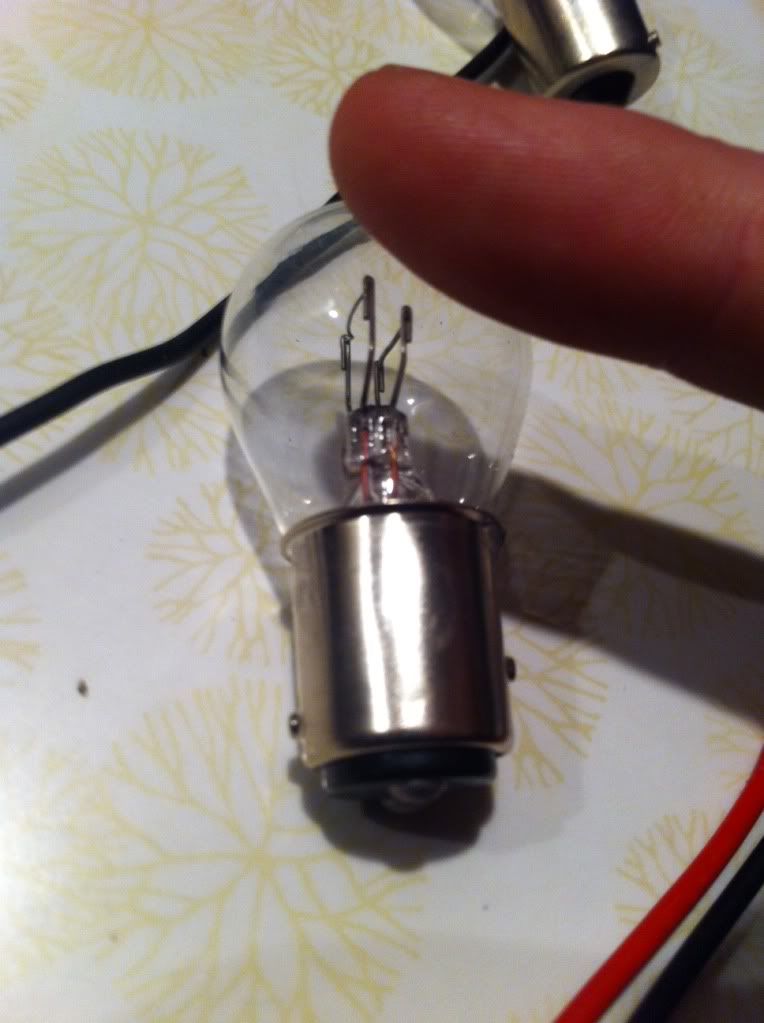
The dual filament bulb has the locks at the bottom of the bulb offset
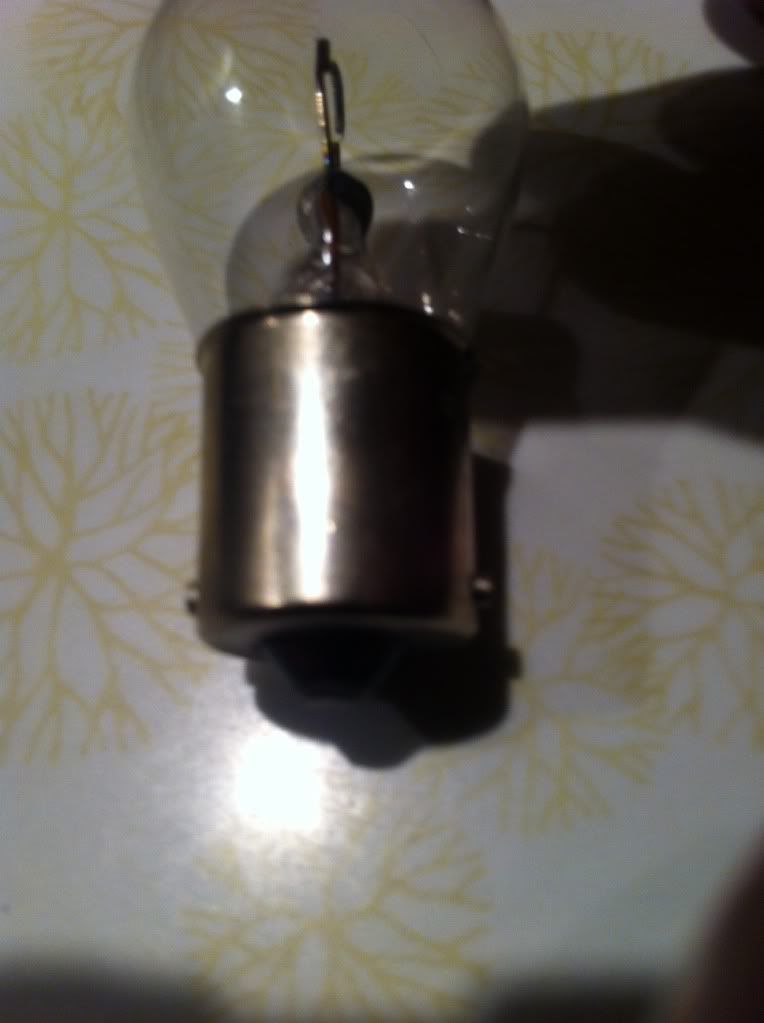
The locks on the single filament bulb are spaced the same distance from the bottom of the bulb.
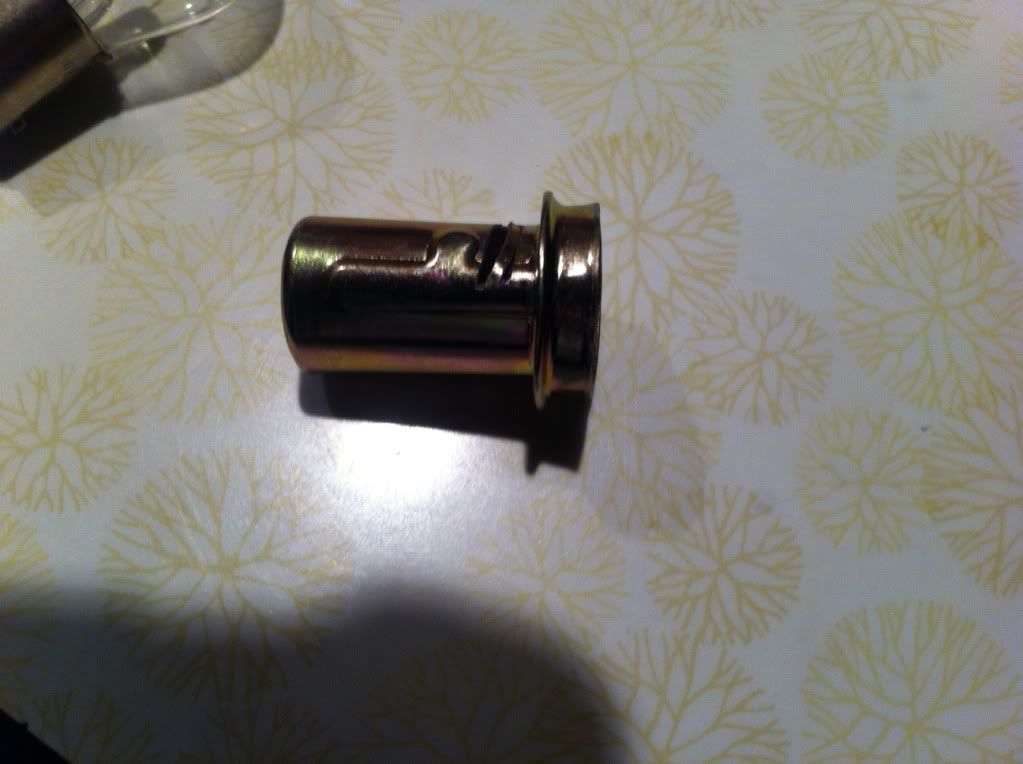
I took a hacksaw to the socket, cut two lines where the single filament lock needed to go. I used a screwdriver to push the material between the cuts upward creating a channel for the lock to fit into.
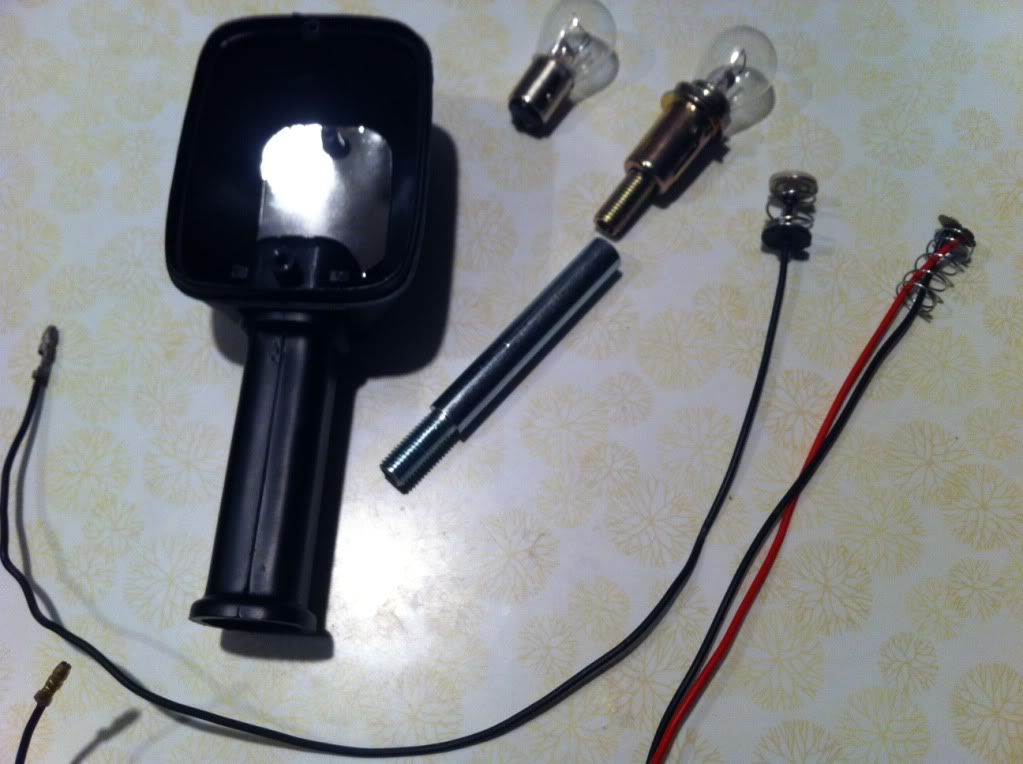
Turn signal components laid out
When I installed the new units on my bike, the signals would not flash. Unfortunately, I didn't figure out what the problem was until after I'd purchased a new turn signal relay. The bike had set for years, so I just figured it was likely dead. I was reading a recent post about some non-functioning signals and it came to me...I'd bought dual filament signals.
Since I'd purchased these so long ago that I couldn't even remember where I'd gotten them from, I needed to figure out a way to make them work.
As I quickly discovered, it wasn't going to be as simple as pluging the single filament bulbs into the dual filament sockets. Two problems with that...1. the contacts don't match up and 2. the locks at the bottom of the bulb didn't match up with the channels in the socket (presumably to stop people like me who want to stick single filament bulbs in dual filament sockets).
So, what to do??? As I started tearing the turn signal apart, I realized I could swap out the old contact from my old signals and create a new channel so the the single filament bulbs would fit in the dual filament sockets.
Here are some pictures that I hope explain things. I'm putting this out here so that hopefully it will save someone some grief.
The dual filament bulb has the locks at the bottom of the bulb offset
The locks on the single filament bulb are spaced the same distance from the bottom of the bulb.
I took a hacksaw to the socket, cut two lines where the single filament lock needed to go. I used a screwdriver to push the material between the cuts upward creating a channel for the lock to fit into.
Turn signal components laid out
Last edited: