A
ashdricky
Guest
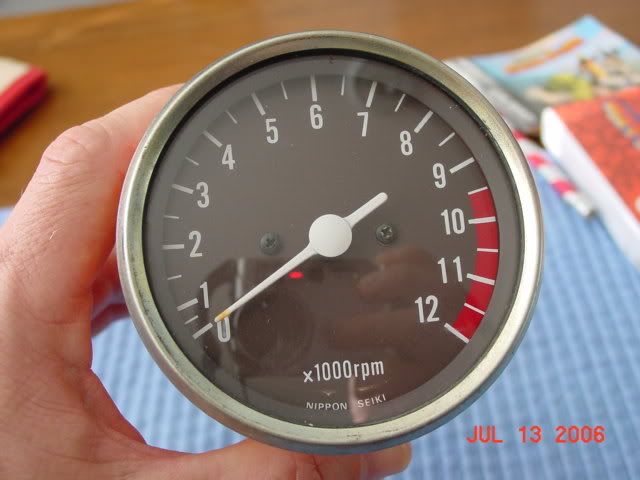
I need a set of gauge faces made, I heard that at one time there was a GSR member out of Ontario making them, if anyone has any information on these it is greatly appreciated.
Thanks-Rob
Thanks-Rob

Required reading for all forum users!!!
Welcome!
Register to access the full functionality of the GSResources forum. Until you register and activate your account you will not have full forum access, nor will you be able to post or reply to messages.
A note to new registrants...
All new forum registrations must be activated via email before you have full access to the forum.
A Special Note about Email accounts!
DO NOT SIGN UP USING hotmail, outlook, gmx, sbcglobal, att, bellsouth or email.com. They delete our forum signup emails.
A note to old forum members...
I receive numerous requests from people who can no longer log in because their accounts were deleted. As mentioned in the forum FAQ, user accounts are deleted if you haven't logged in for the past 6 months. If you can't log in, then create a new forum account. If you don't get an error message, then check your email account for an activation message. If you get a message stating that the email address is already in use, then your account still exists so follow the instructions in the forum FAQ for resetting your password.
Have you forgotten your password or have a new email address? Then read the forum FAQ for details on how to reset it.
Any email requests for "can't log in anymore" problems or "lost my password" problems will be deleted. Read the forum FAQ and follow the instructions there - that's what we have one for...
If you are a returning visitor who never received your confirmation email, then odds are your email provider is blockinig emails from our server. The only thing that can be done to get around this is you will have to try creating another forum account using an email address from another domain.
If you are a returning visitor to the forum and can't log in using your old forum name and password but used to be able to then chances are your account is deleted. Purges of the databases are done regularly. You will have to create a new forum account and you should be all set.
Rudy's email address shows in his profile.
 could of used couple of sets myself
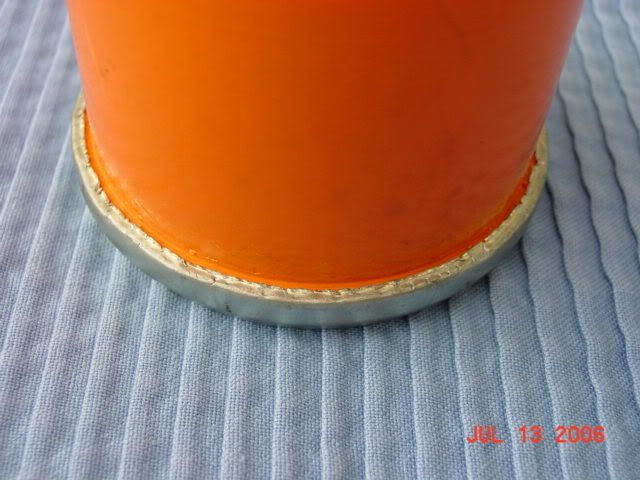
I would highly suggest people don't do this.2. Dremel around the outside rim.

If you have PhotoShop or Illustrator, it's pretty easy.
1. Pop your gauges off.
2. Dremel around the outside rim.
3. Remove glass, take out screws, disassemble gauges.
4. Take both face-plates and scan them into your computer (picture will work but rotation and sizing will be affected).
5. Open in your choice of photo editing program...
6. Go to town.
Last: Ensure the sizes you print are the same as what was scanned in, and use a high-quality anti-fade photo paper.