-
Required reading for all forum users!!!
Welcome!
Register to access the full functionality of the GSResources forum. Until you register and activate your account you will not have full forum access, nor will you be able to post or reply to messages.A note to new registrants...
All new forum registrations must be activated via email before you have full access to the forum.A Special Note about Email accounts!
DO NOT SIGN UP USING hotmail, outlook, gmx, sbcglobal, att, bellsouth or email.com. They delete our forum signup emails.A note to old forum members...
I receive numerous requests from people who can no longer log in because their accounts were deleted. As mentioned in the forum FAQ, user accounts are deleted if you haven't logged in for the past 6 months. If you can't log in, then create a new forum account. If you don't get an error message, then check your email account for an activation message. If you get a message stating that the email address is already in use, then your account still exists so follow the instructions in the forum FAQ for resetting your password.Have you forgotten your password or have a new email address? Then read the forum FAQ for details on how to reset it.
Any email requests for "can't log in anymore" problems or "lost my password" problems will be deleted. Read the forum FAQ and follow the instructions there - that's what we have one for...
-
Returning Visitors
If you are a returning visitor who never received your confirmation email, then odds are your email provider is blockinig emails from our server. The only thing that can be done to get around this is you will have to try creating another forum account using an email address from another domain.
If you are a returning visitor to the forum and can't log in using your old forum name and password but used to be able to then chances are your account is deleted. Purges of the databases are done regularly. You will have to create a new forum account and you should be all set.
You should upgrade or use an alternative browser.
Dented 1000s tank restore
- Thread starter chuck hahn
- Start date

macbec29
Forum Newbie

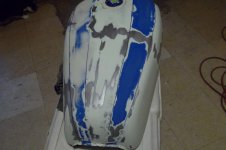
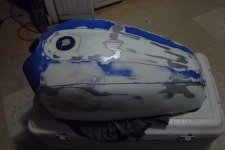 Ive been up since 430 (went to bed at 11 ) so why not finish sand the last skim coat and give it a bath. Traced the original paint lines on so i have a pattern to lay some pinstripe down before primer. Im gonna prime right over the existing paint.. if its not peeling let it be primer!! Anyway, im gonna use a dark self etching ptimer on the blue areas and a lighter etch primer on the white areas. This will give me good lines when painting.
Once i untape it from doing the primers i will sand the ridge line, then mask off respective areas and start shooting colors. Then once its painted all thats left is sand those paint lines, apply decals and clear. So heres where it sets as of this morning. Larry, does my plan of attack seem solid to you?
It took a bit of patience and a lot of add a bit of filler here and there to get the curvature right and to "FEEL EQUAL" from side to side. The primer will fill in things a bit and should be all that much smoother when i lightly sand primer befotre spraying. Some dont recommend sanding primer if it looks good but i disagree. I think sanding just melds the base together very nicely.
 .....................

Lastly, I don't mean to sound critical, chuck, but your photos are the size of postage stamps! We need real PHOTOS! Some of us are very interested in watching your project, key word "watch", but those photos are just plain frustrating!
And, BTW, the position, size, shape, of the coloring/strips on the S tanks I've worked on (three different ones) were all different. The paint process at Suzuki was not an exact science; it's a fluid process, literally, and the strips fell where they may, so to speak, during assembly. I wouldn't fret on making them exactly like the old stripes.
Whats needed for computer illiterates such as myself is a sticky tutorial on how to properly use those link things AND how to resize on the computer.. along with some size info for posting pics.

I took the liberty of creating an Image Shack account just to see if I can help you and others post better pics that others can appreciate more. You do such nice work, it would be a shame not to share the best images possible. Hope this helps.
See Video below. This is one way to get full size images to post on the forum.
It is also possible to put multiple images in one post. Just RETURN after you insert each image, RETURN TWICE to create some white space separation between images and do it again with another image before you click Post Reply. Imgur and Flickr make posting pictures easier by giving you a link to the BBCode. I found no way to get this code on Image Shack. With the BBCode, you don't need to use the toolbar image button on the forum, you just copy the BBCode and paste it into your post. I have a post linked in my signature if you're interested in using one of those free image hosting sites instead of Image Shack. Looks to me like my Image Shack account is only a free trial and they will want to charge me after the trial is up. That's not going to happen.

..,.,.,.,.,.,.,.,.,.,