• Required reading for all forum users!!!

    Welcome!
    Register to access the full functionality of the GSResources forum. Until you register and activate your account you will not have full forum access, nor will you be able to post or reply to messages.

    A note to new registrants...
    All new forum registrations must be activated via email before you have full access to the forum.

    A Special Note about Email accounts!
    DO NOT SIGN UP USING hotmail, outlook, gmx, sbcglobal, att, bellsouth or email.com. They delete our forum signup emails.

    A note to old forum members...
    I receive numerous requests from people who can no longer log in because their accounts were deleted. As mentioned in the forum FAQ, user accounts are deleted if you haven't logged in for the past 6 months. If you can't log in, then create a new forum account. If you don't get an error message, then check your email account for an activation message. If you get a message stating that the email address is already in use, then your account still exists so follow the instructions in the forum FAQ for resetting your password.

    Have you forgotten your password or have a new email address? Then read the forum FAQ for details on how to reset it.

    Any email requests for "can't log in anymore" problems or "lost my password" problems will be deleted. Read the forum FAQ and follow the instructions there - that's what we have one for...

  • Returning Visitors

    If you are a returning visitor who never received your confirmation email, then odds are your email provider is blockinig emails from our server. The only thing that can be done to get around this is you will have to try creating another forum account using an email address from another domain.

    If you are a returning visitor to the forum and can't log in using your old forum name and password but used to be able to then chances are your account is deleted. Purges of the databases are done regularly. You will have to create a new forum account and you should be all set.

Adjusting the Idle Mixture on CV Carbs

  • Thread starter Thread starter koolaid_kid
  • Start date Start date
K

koolaid_kid

Guest
I have written a procedure for adjusting the idle mixture on CV carbs. It is vastly different from the current Fast Idle procedure currently available. It is in Word format, so I will have to break it down into several sections. Please do not post in this thread until I have completely posted the document. It will end with the author's name (me, of course) so you may safely post after that.
I also have it in PDF format as one document, but at 59kb. it is too large for the site restriction of 19.5 kb.
Thanks, and constructive comments are welcome.
EDIT:
This is a location where you can download a PDF version of this procedure. You have to create an account, but it is free and non-intrusive. Thanks, old_skool.
PDF of procedure
 
Last edited:
Adjusting Idle Mixture on CV carbs, using throttle response method

Introduction
With so many people now performing their own carb rebuilds, especially if they now have an aftermarket exhaust or altered intake, I felt it was time to revisit the method of adjusting the idle mixture.

The “standard” procedure involves setting each idle mixture screw one at a time to the point of best/smoothest idle, then adjusting idle speed if needed. This is impractical for bikes with CV carbs, since the effects of the needed ? to ? turn adjustments to one idle mixture screw are imperceptible to ordinary mortals.

In this procedure, we instead pay careful attention to the behavior of the bike as it transitions off idle and then returns to idle, and adjust all idle mixture screws to the same setting.

We will assume that you are starting with correctly cleaned carbs, jetting spot-on, float levels set perfectly, and the engine in good condition, with good compression, correct valve clearances, fresh clean spark plugs, and a properly operating and timed ignition system. Setting the idle mixture in this way falls under the category of final fine-tuning -- it does not affect jetting, and cannot be used to compensate for other deficiencies.

Objective
The pilot air/fuel screws (a.k.a. fuel mixture screws, hereafter, for brevity, referred to as screws) are used to adjust the ratio of fuel to air at idle in the CV fuel system. Too little fuel and the mixture will be too lean. Characteristics of a lean condition are a hanging idle (slow to return to idle), high idle, idling at higher RPM as the engine warms up, and a “racing idle” -- difficulty returning to the pre-set idle level. You may also need to leave the choke on for an extended time (more than one to two minutes) to keep the engine running or to be able to ride the bike safely.

Too much fuel and the mixture will be too rich. Characteristics of a rich condition are an inability to stay at the pre-set idle level, dropping off of idle level and dying at idle. If the bike starts to die at idle after a few miles, a too-rich idle mixture may be fouling the plugs. You may even be able to start the engine cold without using the choke.

If you have correct air to fuel levels at idle the engine will return to the pre-set idle level easily and the engine will neither race nor die at idle. The engine will require choke to start, but can be safely ridden away immediately with the choke partially engaged, and will idle normally with the choke off within a minute. Once the choke is off, idle speed will not increase as the engine warms further.

This procedure is also written so that all pilot air/fuel screws will be at about the same setting. Thus one cylinder will not be doing any more work relative to any other cylinder. This is the objective, and correct execution of this procedure will obtain this setting.

Tools needed
Box fan of some sort to cool the engine while the adjustments are being made
On some bikes, you can prop the rear of the tank up a bit and access the screws with a short screwdriver.
On other bikes, you’ll need a fuel reservoir, a cap or plug for the vacuum line, and a long skinny flat blade screwdriver for turning the screws.
Open area, such as the driveway, carport or an open garage.

Definitions
Pilot air/fuel screw - This is the idle adjustment screw the factory hid under a metal cap. It is now accessible and will be used to set the idle mixture.
Richen the mixture - rotate the pilot air/fuel screw counter-clockwise
Lean out the mixture - rotate the pilot air/fuel screw clockwise.
Blipping the throttle - a quick application of the throttle, revving the engine to 3,000 - 5,000 rpm, by quickly opening the throttle to ⅓ to ?, then releasing the throttle immediately. (If the throttle does not snap back immediately, fix the problem with the mechanism before proceeding.)
Hanging idle - when you blip the throttle, the revs stay high and come down slowly.
High Idle - the idle increases, or after blipping the throttle they settle down at a higher number, such as 2000 rpm instead of 1300 rpm.
 
Last edited:
Setup
Put the motorcycle on its center stand. If not available, stand it up straight with a track stand, trusted friend, or yourself. This levels the fuel in the fuel bowls so as to obtain accurate results.
Turn all the screws to the same setting, usually 2 - 2? turns counter-clockwise from being lightly seated. If you have increased the pilot jet size by one size or the idle has been running rich already, you may need to start at 1? or 2 turns
Connect the fuel reservoir and place it at a level approximately the same height as the fuel tank when installed. Pour an appropriate amount of fuel into the reservoir.
Place the box fan in front of the engine and turn it to high.

Performing the adjustment on the center stand
Start then engine and let it warm up enough so that it runs without the choke.
Set the rpm to around 1,300.
Blip the throttle and observe its response.
If it returns to the original speed quickly, but dips below that (or dies) before returning to normal idle speed, the mixture is too rich. Rotate the screws clockwise ? turn.
If it stays at higher rpms, and/or takes too long to drop back down to idle, the mixture is too lean. Rotate the screws counter-clockwise ? turn.
Repeat until the engine does not hang or stay at high idle and does not dip below the pre-set idle speed. It should rev up and drop back down in a reasonable time.

Once this is accomplished, you are ready for a road test. You must road test because the work you have done was not under real world conditions. For example, the engine may have gotten too hot. This would simulate an over-lean condition and cause you to add too much fuel. It this occurred, when you get out on the street it will run too rich and die or sputter when the throttle is released. Other errors may have been introduced; you will not know until you ride it in the real world.

Road testing and fine tuning
Put everything back together and take a ride. Observe the behavior.
Does it try to stall or even die? Lean it out ? turn and try again.
Does it take too long to drop back to idle? Richen it ? turn and try again.
It may be necessary to use ? turns if it is on again off again. Once you make any adjustment, you must perform another road test. Repeat until riding in the real world yields correct results.

During road testing, it’s common to find that you need to richen the idle mixture by ? to ? turn in order to smooth the off-idle transition and eliminate a very slight stumble.

The valid adjustment range of the idle mixture screws is approximately ? turn to 3 ? turns. If you find that you’re outside or near the edges of this range, you may need to install the next size larger or smaller pilot jet. Even with aftermarket intake and exhaust, you may find that the stock pilot jets work best.

At the end of the road testing and fine tuning you should be good to go.

Notes
You may have to turn the idle up or down a bit during the testing phases. This is normal and is no indication of any type of failure to execute the process correctly.
During the adjustments on the center stand, the engine may get too hot even though a fan is blowing on it. This may cause the readings to be slightly off, but should not disallow adjustments from being made.

Test Bed 1 1983 GPz 750 Wiseco 810cc kit K&N pods Kerker 4-1 exhaust DynoJet Stage III kit
Test Bed 2 1983 GS750E 4-1 Exhaust 1 over main jet 1 over pilot jet
Test Bed 3 1983 GS850G Bone Stock

Appendix 1 How it works

The Pilot Circuit
This is sometimes called the "idle circuit" but it does a lot more than control idle. And it is perhaps the most misunderstood of the three circuits. The role of the pilot circuit is basically to run the engine when the throttle is closed, as when the engine is idling or the throttle is closed on deceleration. But this circuit is also the main source of fuel at very small throttle openings. As the throttle is opened past 1/4, the importance of this circuit diminishes, as the main fuel supply is now provided through the main "fuel hole" and controlled by the needle/needle jet and ultimately the main jet. But the pilot circuit does remain active and makes a (progressively smaller) contribution all the way to WOT.

The typical set up is this: The pilot circuit get its fuel from the float bowl through the pilot jet. The circuit also has a pilot air jet, but the purpose here is not to provide all the needed air (as in the starting circuit), but to provide air to premix with and partially aerate the fuel before the mixture enters bore and completes the atomization process with air traveling through the bore. Such little air passages are sometimes called "air bleed" circuits.

This circuit typically has two outlets. One is called the "pilot outlet" and is located on the engine side of the butterfly valve. This outlet supplies the fuel mixture to support idling and deceleration (that is, off-throttle running). It has an adjustment screw which controls the amount of fuel mixture entering the bore under off-throttle conditions. This screw is sometimes mistaken for an "air screw" but it is not. Turning in (right) reduces the amount of fuel mixture, and turning out (left) increases it. In for lean, out for rich.

The other outlet is call the "bypass outlet" and is located right at the point in the bore where the bottom of the butterfly comes to rest when closed. Typically, the butterfly is set a tad open to permit just a slight amount of air to pass by at the bottom to support idle and decel, and most of the fuel for these functions is supplied through the pilot outlet. But as the butterfly is opened, more air flows past it, and the venturi effect starts to work on the bypass Additional fuel is now drawn out of the bypass to support low speed running and cruising at small throttle openings. (Note that if the butterfly valve is adjusted to 'fully closed' the engine will probably not start or idle. It needs to be open a tad. As mentioned above, these outlets continue "giving" throughout the rev range, but their contribution to the overall mixture diminishes as the slide rises.)

Written by George Burroughs (koolaid_kid)
Proofread and modified by Brian Wringer (bwringer)
 
Last edited:
I'm sending you a PDF version of it for your records as I can't upload it here due to filesize restrictions.
 
Great stuff. Thanks for taking the time to write this KK!
 
Nice. I wonder how well this guide might work with adaptations for VM carbs?
 
Great stuff George, thanks! Trying to get my 450 right by ear is a PITA so this should help me greatly...
 
Nice. I wonder how well this guide might work with adaptations for VM carbs?
Should work just fine, as long as you know what "adaptations" you need to make.

Tweaking the mixture on VM carbs is done with the fuel screw on the bottom and the air screw on the side.

I feel that the BS-series (CV type) carbs are a bit easier because they only have ONE adjustment to make. :D

.
 
Should work just fine, as long as you know what "adaptations" you need to make.

Tweaking the mixture on VM carbs is done with the fuel screw on the bottom and the air screw on the side.

I feel that the BS-series (CV type) carbs are a bit easier because they only have ONE adjustment to make. :D

.

Agreed. Plus the fuel screw is particularly difficult to adjust on a hot or running engine. You cannot see the screws (especially for 2 and 3), but need gloves that hamper feeling around for them.

So a guide like this would have to focus on the air screws almost entirely, since road-testing and small adjustments don't really work with the fuel screws.
 
Thanks!

Thanks!

Adjusting Idle Mixture on CV carbs, using throttle response method

Thus one cylinder will not be doing any more work relative to any other cylinder. This is the objective, and correct execution of this procedure will obtain this setting.

OK, so for my understanding, what benefit does this provide? I had been thinking of the "Fast Idle" method as accounting for variance in carb construction, location (inboard vs outboard, etc) and operation.

After reading this method, it occurs to me that having different settings for different carbs could just be accounting for my inability to dial one in 100% correctly. (So, where I am a bit off on one carb's settings, I'm trying to account for it with another.)

So, now my curiosity is piqued. Is this a matter of personal taste? Is the distinction situational (high vs low altitude, racing vs commuting, gas mileage vs longevity, consistency...)?

Whatever the reason, thanks for sharing.

?Chris
 
OK, so for my understanding, what benefit does this provide? I had been thinking of the "Fast Idle" method as accounting for variance in carb construction, location (inboard vs outboard, etc) and operation.
Some people just can't seem to hear the difference in engine sound as you are tweaking the mixture.

For them, this method will probably work.

.
 
As a courtesy to KK, here's a pdf version for download.

http://www.4shared.com/office/yOhSnAMh/Adjusting_Idle_Mixture_on_CV_c.html?refurl=d1url


click on the Free download
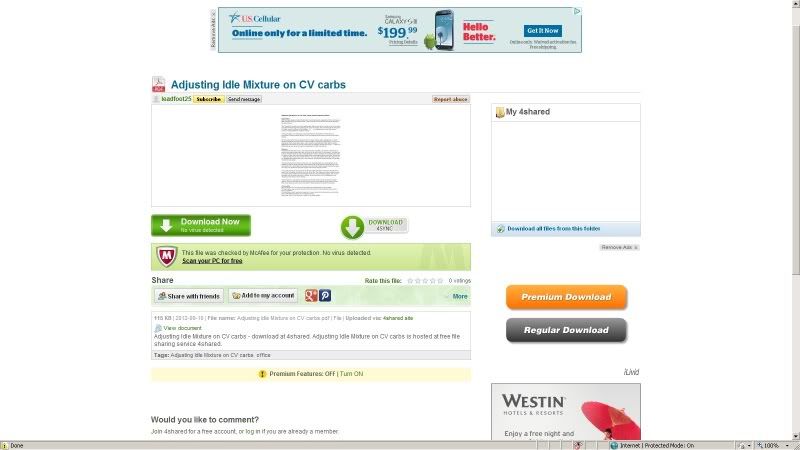
Did not see any "free download" button, but did see a "Download Now". Tried that, it insisted that I sign up for something. Not gonna do that.

I saw several other "download" buttons, but they all appeared to be for other garbage that was available from that site.

How about submitting your pdf to BassCliff so he can put on his site, which we all know works quite well. :D

.
 
it's really simple, click on download now, and another window should pop up, the one on the right says free download, I just re-checked it, it seemed ok, check again for me will you Steve.
I must be blind, but here is what I see when I click on the "Download Now" button:
carbtuningdownloaderror.jpg


The green Download Now button says I need to sign up for something.
The "Download 4Sync" button will try to down load 4Sync. That's not going to happen here.
The "Regular Download" button wants to install "Livid ... something". That's not going to happen, either.
Not even going to try the "Premium Download" button, no telling how much that one is going to cost. :eek:

Evidently this is something for which you have signed up and have the appropriate cookies stored on your computer, so you can see them with no problem.
I choose not to install stuff like that, which is one reason my computer remains remarkable virus-free, especially considering how many different systems I connect to in my travels.

.
 
Last edited:
Yep, looks like you've got a saved session or cookies for sure Rich, I also get the login or sign up prompt :(

I reckon BassCliff's site's the way to go...

But thanks for putting it in PDF format so quick!
 
Thanks, but NO THANKS.

Ever since I have visited that site, I have been getting virus messages.

They are being reported in a system file, so they can not be removed.

I guess I will have to wipe my machine and do a fresh install when I get home.

Thanks for adding to my work load. :mad:

.
 
Maybe if this site was a bit more like 99% of all other sites, one would be able to upload a pdf, or any other type of document, one would get more than only 75 messages for PM's, really how big can a PM be, it don't use up that much space, I had sites where members had 500 allowable PM's and we didn't even notice it on the server....I won't even get into allowing youtube links, and a vast variety of other things that could spruce up the place and make the stay here more pleasant....you want to save space, get rid of Albums for each user, setup the site so it resizes pics to a default of 800x600, upgrade the vBulletin to something more newer, I am really surprised this place has not been hacked and wiped out due to the antiquated version it runs on....but hey I only come here to read.....and not Admin....

.
 
. I think you need a better virus protection if your system files were infected, ...
I am using the same system that I have been using for about 8 years now, with regular updates, of course. I get occasional notices, which is expected when I have to log on to a new motel connections every few weeks, a new connection at work (usually very safe) every few weeks, and occasional hot-spot sites as I travel.

I said I get "occasional" notices. After trying your downoad, I kept getting a message about every 5 minutes.

I just got done with a full system scan in Safe Mode, which is the recommended method to get rid of that particular infection. I have not had any notices for the last half hour, let's see how long it lasts.

.
 
I saved a PDF copy I made from his first post so if anyone wants that send me your email and I'll send it to you.
 
Back
Top